Monport 60W JPT MOPA Fiber Laser vs OMTech 30W JPT MOPA Fiber Laser Engraver
Head-to-head spec comparison to help you pick the right fiber laser for your needs.
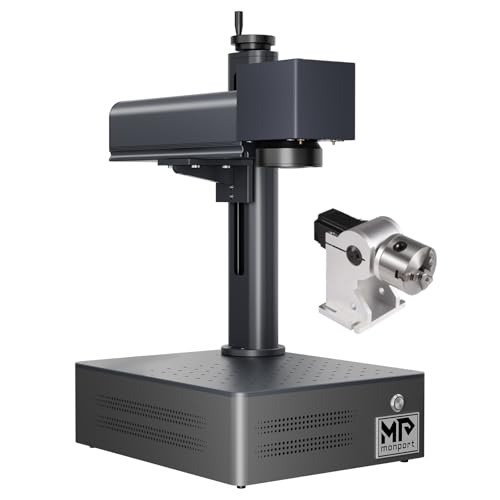
Monport
$3,749.99
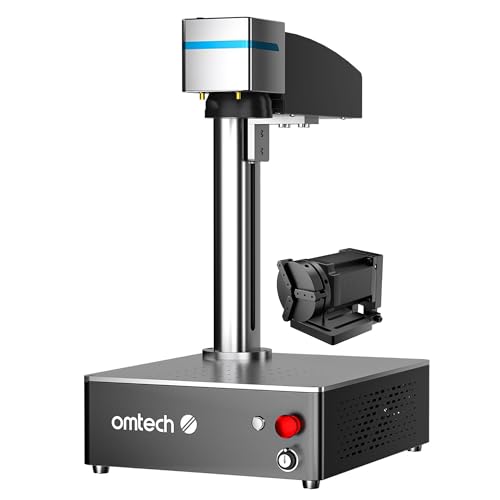
OMTech
Unavailable
Spec-by-Spec Comparison
| Spec | Monport 60W JPT MOPA Fiber Laser | OMTech 30W JPT MOPA Fiber Laser Engraver |
|---|---|---|
| Wattage | 60 W | 30 W |
| Laser Type | MOPA | MOPA |
| Laser Source | JPT | JPT |
| Work Area (W) | 175 mm | 150 mm |
| Work Area (H) | 175 mm | 150 mm |
| Galvo Speed | 8000 mm/s | 8000 mm/s |
| Color Marking | Yes | Yes |
| LightBurn | Yes | Yes |
| Autofocus | No | No |
| Weight | 5 kg | 4.5 kg |
| Software | BSLcad + LightBurn (galvo license required separately) | LightBurn + EZCad2 (verify bundled on your ASIN) |
| Pulse Width | 2–500ns | 2–500ns |
| Price | $3,749.99 | Unavailable |
| Rating | 7.5/10 | 8.4/10 |
| Buy on Amazon | Amazon offer unavailable (checked 2026-07-10) |
Pros & Cons
Monport 60W JPT MOPA Fiber Laser
Pros
- The current title identifies a 60W JPT MOPA configuration, 6.9-inch square field, and rotary axis; confirm the exact bundle with the seller
- 175×175mm work area confirmed on the Amazon listing — accommodates full-size tumblers with a rotary chuck without lens swaps
- LightBurn galvo support confirmed via BSLcad controller — Amazon listing explicitly states 'All Monport fiber marking machines can be operated using Lightburn'
- 1–4,000kHz frequency range and 2–500ns pulse width provide the full MOPA parameter envelope for stainless steel color marking and titanium anodization
- 60W output is meaningfully faster than 30W for deep engraving — depth-map coin engraving documented by a Reddit owner using LightBurn 3D slice at production-viable speeds
Cons
- Only 16 Amazon ratings — too thin to verify factory QC or catch edge-case failures; at this wattage, a single DOA unit would represent 6% of all reviews
- No community material libraries for BSLcad exist anywhere — owners building color marking settings start from zero; the LightBurn parameter libraries that circulate for OMG Laser and ComMarker do not transfer
- In buyer comparison threads for 60W MOPA, Monport was explicitly excluded from recommendations due to 'unclear specs, lack of real user feedback' — OMG Laser and Haotian dominate those conversations
- MOPA settings complexity is brand-documented as brutal for newcomers — one Reddit owner described the transition from CO2 as 'feeling like I've never used technology before' with their Monport MOPA
- 60W is a Class 4 open-beam laser — no enclosure, invisible 1064nm infrared beam, requires OD5+ eyewear and a dedicated controlled workspace; not a beginner purchase at any price
OMTech 30W JPT MOPA Fiber Laser Engraver
Pros
- The current listing title identifies a JPT source; source model and rated life should be confirmed in the exact seller documentation
- 150×150mm work area with rotary axis confirmed included in ASIN B0DCFGK6PX — covers tumblers with rotation and most jewelry without repositioning
- Variable pulse width 2–500ns with 1–4,000kHz frequency range gives precise oxide-layer color control on stainless steel and titanium — specific settings (e.g. power 45%, speed 1000mm/s, pulse 60ns, freq 400 for red on SS) are documented in community threads
- OMTech's LightBurn compatibility works on Windows, macOS, and Linux — rare for Chinese fiber lasers; most EZCad-only competitors require Windows exclusively
- Largest community presence of any MOPA brand at this price: LightBurn forum history, YouTube reviews, and documented settings libraries predate this model and are actively maintained
Cons
- DOA/shipping damage reported across multiple sources — packaging is adequate but component fragility during long shipping is a recurring theme; inspect immediately on arrival
- ASIN B0DCFGK6PX may be EZCad-only — Amazon title says 'EZCad Galvo Lens'; a separate ASIN (B0DSZ8PLLY) explicitly bundles LightBurn; verify which listing you're buying before purchasing
- Customer support is slower than Monport's direct-site models and not as consistent as OMTech's marketing implies — LightBurn forum users note 24hr+ turnaround and first-line agents who don't always understand the issue
- Color marking requires systematic material testing per batch — oxide colors on stainless are parameter-sensitive; alloy composition and powder coat thickness vary between tumbler batches, requiring fresh test grids
Our Verdicts
Monport 60W JPT MOPA Fiber Laser
The Monport 60W MOPA is an available high-wattage configuration for experienced operators prepared to self-support a thin BSLcad ecosystem. The verified Amazon offer was $3,749.99 with limited stock on July 10, 2026, not under $1,000. Compare controller, work area, lens bundle, support, and return terms before checkout.
OMTech 30W JPT MOPA Fiber Laser Engraver
The OMTech 30W MOPA has a 150mm field and a JPT MOPA source, but ASIN B0DCFGK6PX was out of stock with no current Amazon price on July 10, 2026. Hobbyist Laser does not expose a buying link or Offer JSON-LD while that remains true. Verify the exact controller, included software, seller, return policy, price, and availability before reconsidering it.
OMTech 30W JPT MOPA Fiber Laser Engraver
No current Amazon offer