Monport 30W JPT MOPA Fiber Laser vs xTool F1 Dual-Laser Engraver (2W IR + 10W Diode)
Head-to-head spec comparison to help you pick the right fiber laser for your needs.
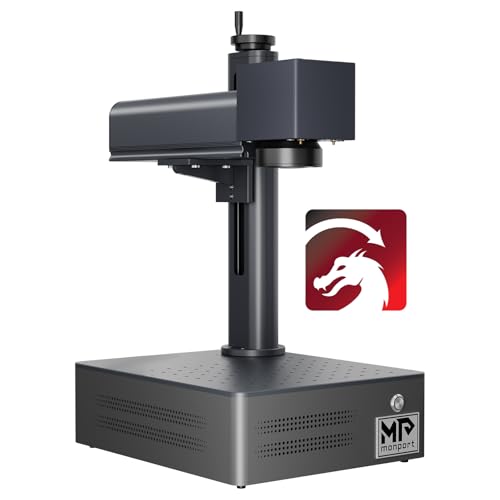
Monport
$2,899.99
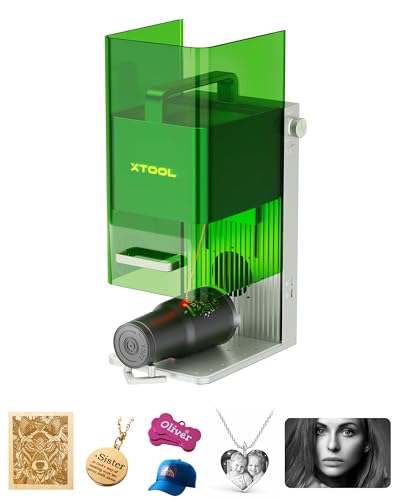
xTool
Unavailable
Spec-by-Spec Comparison
| Spec | Monport 30W JPT MOPA Fiber Laser | xTool F1 Dual-Laser Engraver (2W IR + 10W Diode) |
|---|---|---|
| Wattage | 30 W | 2 W |
| Laser Type | MOPA | IR Diode (not fiber galvo) |
| Laser Source | JPT | xTool IR |
| Work Area (W) | 175 mm | 110 mm |
| Work Area (H) | 175 mm | 110 mm |
| Galvo Speed | 8000 mm/s | 4000 mm/s |
| Color Marking | Yes | No |
| LightBurn | Yes | Yes |
| Autofocus | No | No |
| Weight | 4 kg | 2.5 kg |
| Software | BSLcad + LightBurn (galvo license required separately) | xTool Creative Space + LightBurn |
| Pulse Width | 2–500ns | N/A |
| Price | $2,899.99 | Unavailable |
| Rating | 7.2/10 | 7.9/10 |
| Buy on Amazon | Amazon offer unavailable (checked 2026-07-10) |
Pros & Cons
Monport 30W JPT MOPA Fiber Laser
Pros
- The current title identifies a 30W JPT MOPA configuration with BSLcad and LightBurn references; verify the exact controller and bundle before buying
- JPT MOPA source with 2–500ns variable pulse width — the physics required for oxide-layer color marking on stainless steel are present; this is confirmed hardware, not a marketing claim
- BSLcad bundled with LightBurn galvo support available — not EZCad2; buyers from diode lasers can continue a LightBurn workflow (galvo license purchased separately)
- 30W output handles deep engraving on stainless, aluminum, and brass in fewer passes than any 20W Q-switched alternative
- Color marking on stainless, titanium, and anodized aluminum is achievable once settings are dialed — a capability this price tier has no business offering
Cons
- MOPA settings are not plug-and-play — frequency, pulse width, and power interact in non-obvious ways; one Reddit owner described the transition from CO2 as 'feeling like I've never used technology before' after buying a Monport MOPA
- No material parameter library for BSLcad exists in any community channel — unlike OMTech or ComMarker, no Etsy settings packs or forum parameter threads exist for this specific machine
- Monport's documentation rated 'horrible' for galvo setup by experienced fiber users — expect several hours of calibration before achieving first successful color mark
- The current Amazon title states a 6.9×6.9-inch work area; confirm the exact lens and usable field with the seller before checkout
- Very thin review base — this is a recent Amazon listing; no volume of owner feedback exists to verify factory QC or consistency across units
xTool F1 Dual-Laser Engraver (2W IR + 10W Diode)
Pros
- The F1 combines a 2W IR source and 10W diode in one enclosure; it is a dual-laser configuration, not a fiber galvo
- xTool Creative Space software is the most polished beginner interface in the laser category — camera positioning, guided material presets, and auto-layout workflows available from day one
- Fully enclosed with automatic safety shutoffs — the only machine in this tier safe to operate in an office, living room, or classroom without OD5+ eyewear and ventilation setup
- LightBurn compatible for users who want full parameter control beyond what xTool's software exposes
- xTool has the largest installed base and most active community of any Chinese laser brand — tutorial content, settings libraries, and troubleshooting threads for every use case are indexed and searchable
Cons
- 2W IR laser is NOT a fiber galvo — it produces lighter, less consistent marks on hard metal than a dedicated 20W fiber laser; an owner who ran both side by side measured the fiber as '25x faster on average for marking metal'
- IR laser head is the documented primary failure point — multiple owners report the IR head degrading or dying within 1–2 years of regular use; xTool support unable to repair in some markets
- No autofocus — autofocus is exclusive to the F1 Ultra; this model requires manual two-dot alignment each session (a common point of confusion because the F1 Ultra, a completely different machine, has autofocus)
- 110×110mm work area matches budget dedicated fiber lasers — tumblers require a rotary and repositioning, no advantage here over GWEIKE or ComMarker alternatives
- Do not compare the F1's 2W IR workflow directly with a dedicated 30W fiber configuration; they are different product classes
Our Verdicts
Monport 30W JPT MOPA Fiber Laser
The Monport 30W MOPA is relevant to experienced operators who need variable pulse-width control and are prepared for thin BSLcad-specific documentation. The verified Amazon offer was $2,899.99 with limited stock on July 10, 2026, not $599. At that price, compare support, controller, lens, work area, and return terms against other available MOPA configurations before buying.
xTool F1 Dual-Laser Engraver (2W IR + 10W Diode)
The xTool F1 combines a 2W IR source with a 10W diode in an enclosed desktop machine. It is not a fiber galvo, and it should not be compared as though it were the same configuration as the F1 Ultra. ASIN B0CC56W8P6 was out of stock with no current Amazon price on July 10, 2026, so all Amazon buying exits are suppressed.
xTool F1 Dual-Laser Engraver (2W IR + 10W Diode)
No current Amazon offer