ComMarker B6 20W Fiber Laser Engraver vs xTool F1 Dual-Laser Engraver (2W IR + 10W Diode)
Head-to-head spec comparison to help you pick the right fiber laser for your needs.
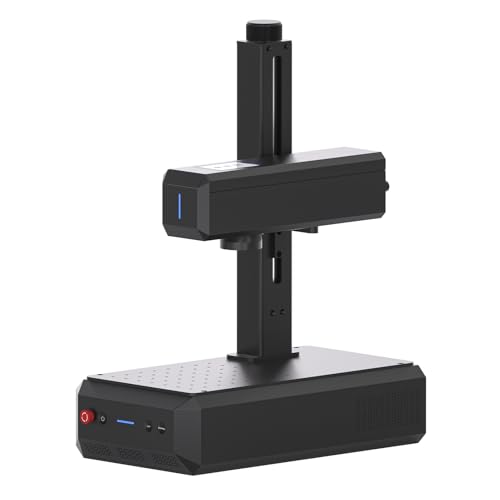
ComMarker
$1,599
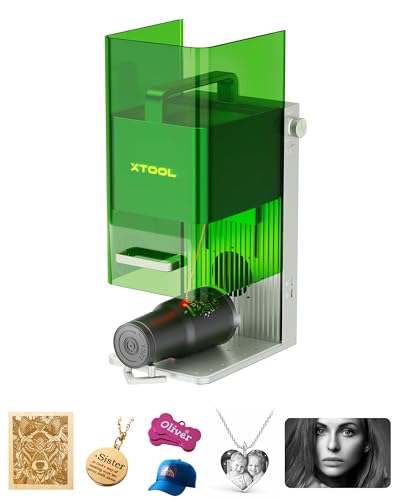
xTool
Unavailable
Spec-by-Spec Comparison
| Spec | ComMarker B6 20W Fiber Laser Engraver | xTool F1 Dual-Laser Engraver (2W IR + 10W Diode) |
|---|---|---|
| Wattage | 20 W | 2 W |
| Laser Type | Q-Switched | IR Diode (not fiber galvo) |
| Laser Source | Raycus | xTool IR |
| Work Area (W) | 150 mm | 110 mm |
| Work Area (H) | 150 mm | 110 mm |
| Galvo Speed | 8000 mm/s | 4000 mm/s |
| Color Marking | No | No |
| LightBurn | Yes | Yes |
| Autofocus | Yes | No |
| Weight | 3.5 kg | 2.5 kg |
| Software | LightBurn + EZCad | xTool Creative Space + LightBurn |
| Pulse Width | N/A (Q-Switched) | N/A |
| Price | $1,599 | Unavailable |
| Rating | 8.0/10 | 7.9/10 |
| Buy on Amazon | Amazon offer unavailable (checked 2026-07-10) |
Pros & Cons
ComMarker B6 20W Fiber Laser Engraver
Pros
- 150×150mm work area — 35% larger than the GWEIKE G2's 110mm field — fits tumblers on a rotary chuck and full knife blades without repositioning
- The current title identifies an autofocus screen, a meaningful workflow distinction from manual-focus 20W alternatives
- LightBurn confirmed working with EZCad also included — both workflows supported; buyers coming from diode lasers have immediate LightBurn continuity
- Built-in touchscreen display for settings and job status — removes the need to monitor a laptop during production runs
- 20W Raycus Q-switched marks steel, aluminum, brass, titanium, and copper consistently — ComMarker's production volume means quality control is verified across thousands of units
Cons
- Cataloged as Q-switched rather than MOPA; compare a currently available MOPA configuration when pulse-width control is required
- No enclosure — Class 4 open-beam fiber laser; the invisible 1064nm infrared beam requires OD5+ eyewear and either a dedicated enclosure or a controlled workspace with no reflective surfaces
- Thinner community than GWEIKE — fewer Reddit threads and YouTube settings tutorials; troubleshooting depends more on ComMarker support channels than community knowledge
- The current title does not confirm an included rotary; verify the exact bundle before planning cylindrical work
xTool F1 Dual-Laser Engraver (2W IR + 10W Diode)
Pros
- The F1 combines a 2W IR source and 10W diode in one enclosure; it is a dual-laser configuration, not a fiber galvo
- xTool Creative Space software is the most polished beginner interface in the laser category — camera positioning, guided material presets, and auto-layout workflows available from day one
- Fully enclosed with automatic safety shutoffs — the only machine in this tier safe to operate in an office, living room, or classroom without OD5+ eyewear and ventilation setup
- LightBurn compatible for users who want full parameter control beyond what xTool's software exposes
- xTool has the largest installed base and most active community of any Chinese laser brand — tutorial content, settings libraries, and troubleshooting threads for every use case are indexed and searchable
Cons
- 2W IR laser is NOT a fiber galvo — it produces lighter, less consistent marks on hard metal than a dedicated 20W fiber laser; an owner who ran both side by side measured the fiber as '25x faster on average for marking metal'
- IR laser head is the documented primary failure point — multiple owners report the IR head degrading or dying within 1–2 years of regular use; xTool support unable to repair in some markets
- No autofocus — autofocus is exclusive to the F1 Ultra; this model requires manual two-dot alignment each session (a common point of confusion because the F1 Ultra, a completely different machine, has autofocus)
- 110×110mm work area matches budget dedicated fiber lasers — tumblers require a rotary and repositioning, no advantage here over GWEIKE or ComMarker alternatives
- Do not compare the F1's 2W IR workflow directly with a dedicated 30W fiber configuration; they are different product classes
Our Verdicts
ComMarker B6 20W Fiber Laser Engraver
The ComMarker B6 is the 20W option to compare when a 150mm field and autofocus matter more than MOPA pulse control. The verified Amazon offer was $1,599 on July 10, 2026. That price removes it from any under-$600 decision path. If color work is required, compare an available MOPA configuration instead of following the currently unavailable OMTech 30W exit.
xTool F1 Dual-Laser Engraver (2W IR + 10W Diode)
The xTool F1 combines a 2W IR source with a 10W diode in an enclosed desktop machine. It is not a fiber galvo, and it should not be compared as though it were the same configuration as the F1 Ultra. ASIN B0CC56W8P6 was out of stock with no current Amazon price on July 10, 2026, so all Amazon buying exits are suppressed.
xTool F1 Dual-Laser Engraver (2W IR + 10W Diode)
No current Amazon offer